Tell families about an illness at the center
When a child turns out to have something catching, tell the families who may have been exposed what it is, what to watch for and when a child may come back, in your center's own words.
Where: Incidents > Illness notice
On the web, Incidents
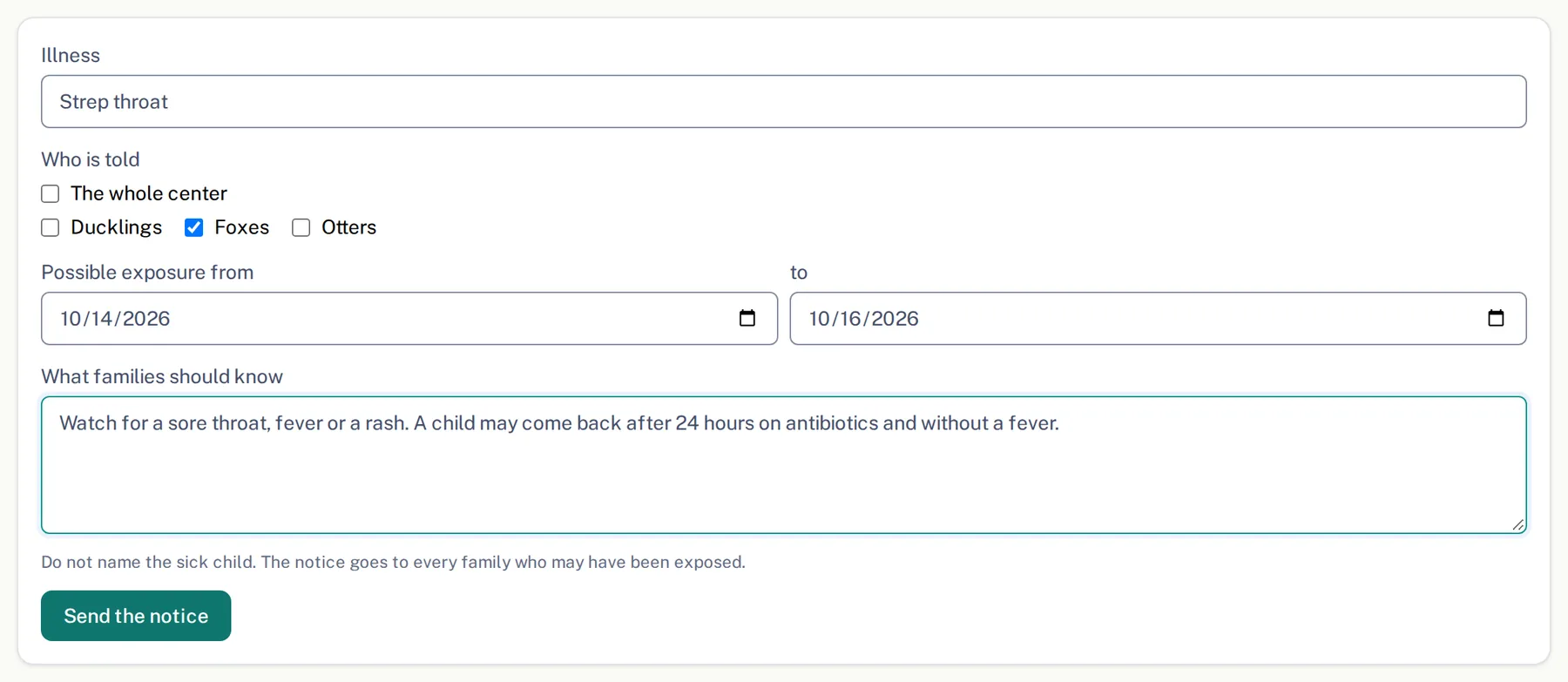
Illness notices are for the director and managers. Have your center's policy for that illness at hand.
- 1.
Open Incidents and tap Illness notice.
- 2.
Under Illness, pick it from the list or type it.
- 3.
Under Who is told, tick the rooms the child was in, or The whole center.
- 4.
Fill in Possible exposure from and to if you know the dates.
- 5.
In What families should know, write the symptoms to watch for and when a child may return, from your center's policy. Do not name the child.
- 6.
Tap Send the notice, check the illness and the rooms in the box that opens, and tap Send the notice again.
The notice is emailed to those families and posted as a notice in the app. It is kept under Illness notices sent with the date and how many families it reached.
Questions
- Can I name the child who is sick?
- No. The form has no place for a child. The notice goes to every family who may have been exposed.
- Do we have to report it to public health?
- Some illnesses, in some states. The page says whether your state asks for it and by when. Once you have reported it, tap Reported to public health today on that notice.
- Who can send one?
- The director and managers.