Switching to Farlow with the file you already have
Most of the work of switching is retyping families. With Farlow you upload the roster you already have, check it, and keep going.
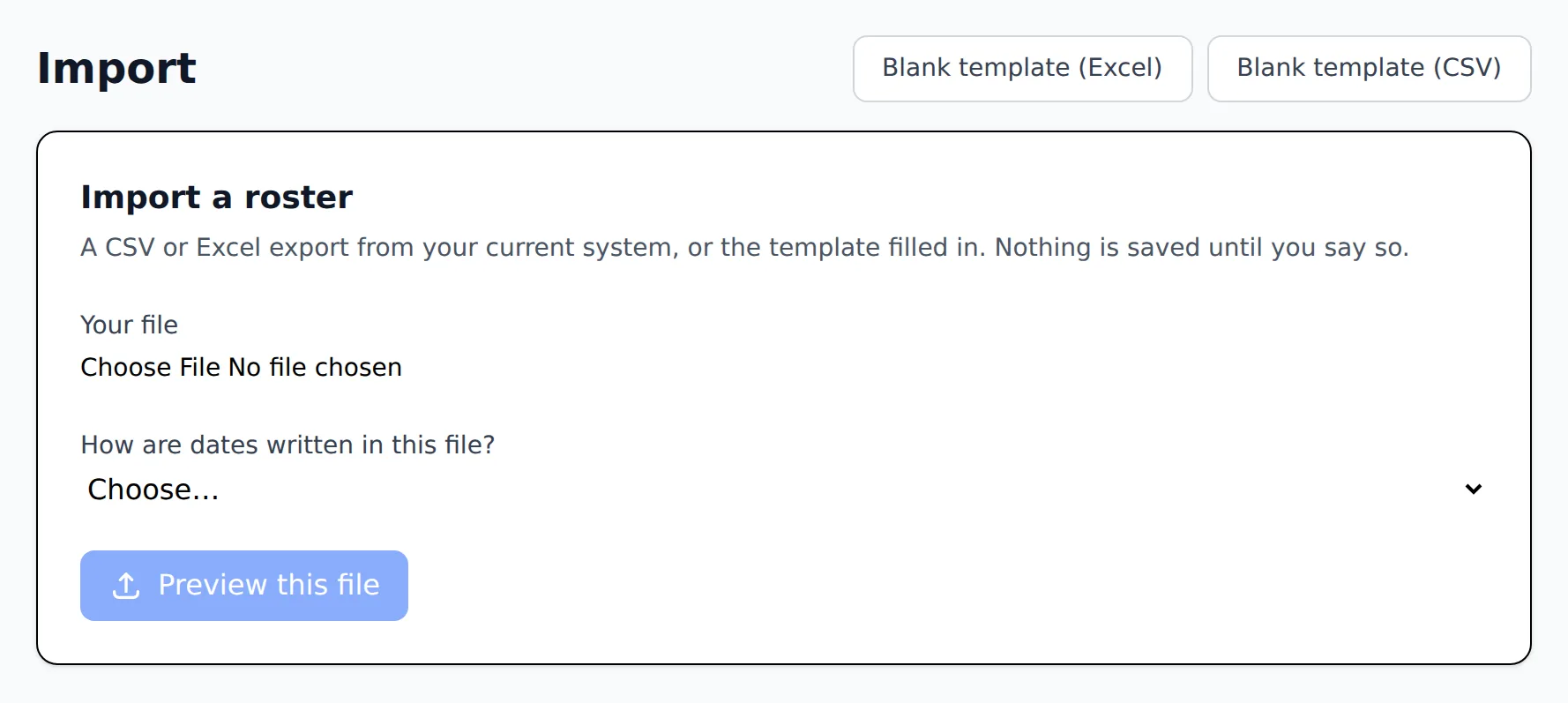
1
Export your roster from the app you use now
Most child care apps let you download the student roster as a spreadsheet. A spreadsheet you already keep works too.
2
Upload it as CSV or Excel
Farlow matches its columns to its own and shows you the match. It groups the rows into families: each child with their parents, pickup contacts and emergency contacts, plus health notes, medications, doctor and meal type.
3
Check the preview
Nothing is saved until you have looked. Rows with a problem are named with the reason, so you fix the file and try again.
4
Import, and undo if you need to
The families appear in Farlow with their rooms. If something looks wrong, the whole import can be undone in one step.
Questions directors ask
- Do families need to install an app?
- No. Families use Farlow in their phone's browser. They get an invitation, set a password, and see their child's day.
- Can I use my own spreadsheet instead?
- Yes. Download Farlow's blank template, fill it in, and upload it. The importer takes the same columns either way.
- What about our enrollment forms?
- Farlow has a library of common forms (enrollment, medical consent, photo release and others) that you copy and change, and you can upload your own PDFs to be filled in online.
See everything Farlow does or start with check-in and ratios.
Talk to us about switching
Tell us about your center. We will write back to set up a walkthrough.