Repeat an event every week
Music every Tuesday or swim on Fridays goes on the calendar once. Pick the last week it runs and Farlow adds the event on the same day each week.
Where: Calendar > Add an event
On the web, Calendar
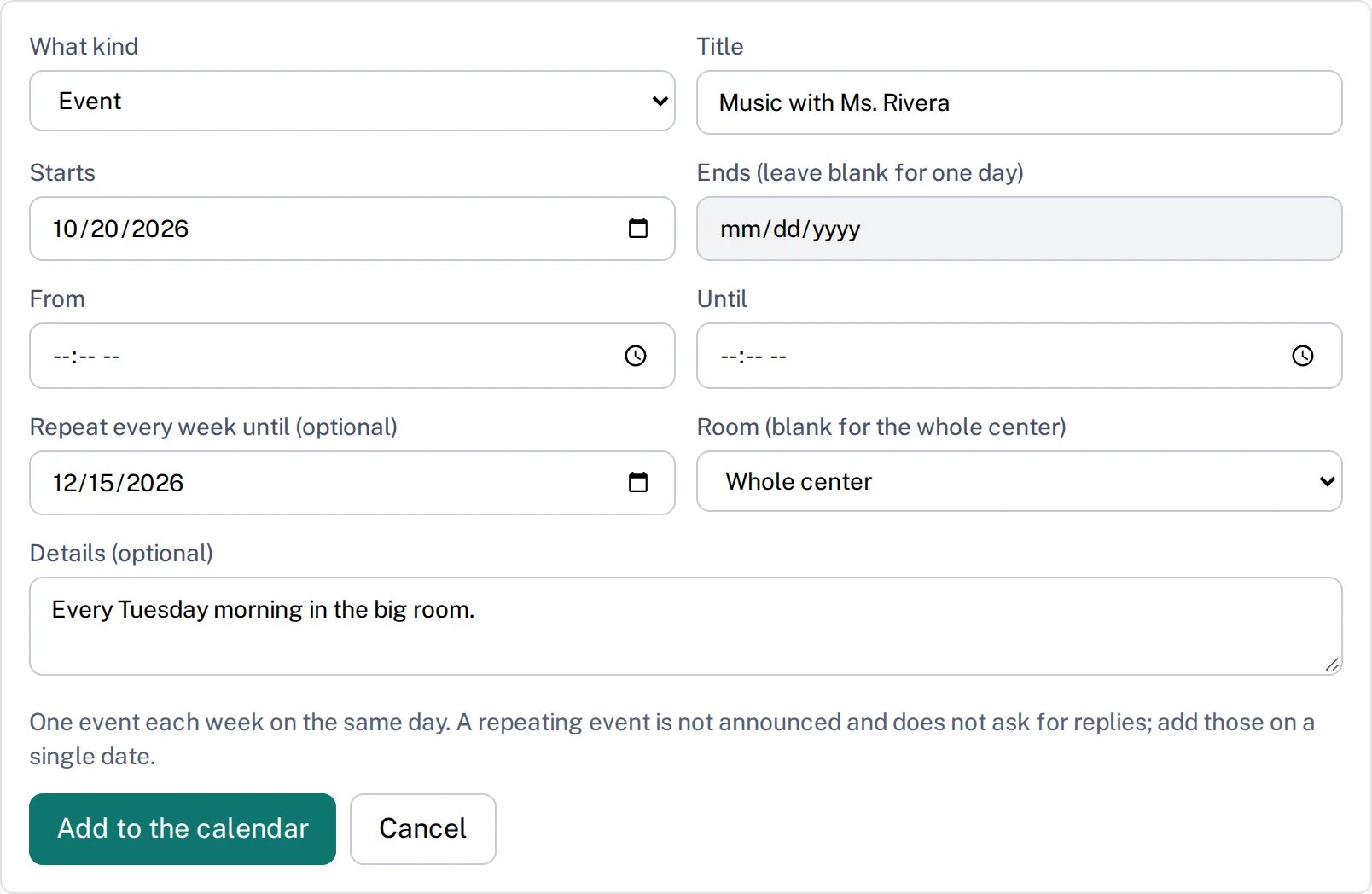
Anyone who can add to the calendar can add a weekly event. It needs at least two weeks between the first date and the last.
- 1.
Open Calendar and tap Add an event.
- 2.
Fill in Title, and Starts with the first date. Leave Ends empty.
- 3.
Pick the last date in Repeat every week until (optional). The form explains that a repeating event is not announced and does not ask for replies.
- 4.
Choose a room, or leave it blank for the whole center, and tap Add to the calendar.
- 5.
Each week now shows as its own date marked Weekly. To change one, tap Edit on it and choose Only this date or This date and the ones after.
- 6.
To take dates off, tap Remove and answer Remove which? the same way.
Changing This date and the ones after updates the title, times, room and details of every later date, and leaves the earlier ones as they were. Each date keeps its own day, so to move one, change it on its own.
Questions
- Can I announce a weekly event or ask families to reply?
- Not on the whole series. Add the event as a weekly one, then edit one date to announce it or ask for replies on that date.
- Can a closure repeat?
- No. Closures and early closes go in one date at a time, because each one is announced to families.
- How far ahead can it repeat?
- Up to a year from the first date. Add another series after that if you need it.