Message your child's teachers
Each child has one conversation with the center. The room's teachers and the office read it and reply there.
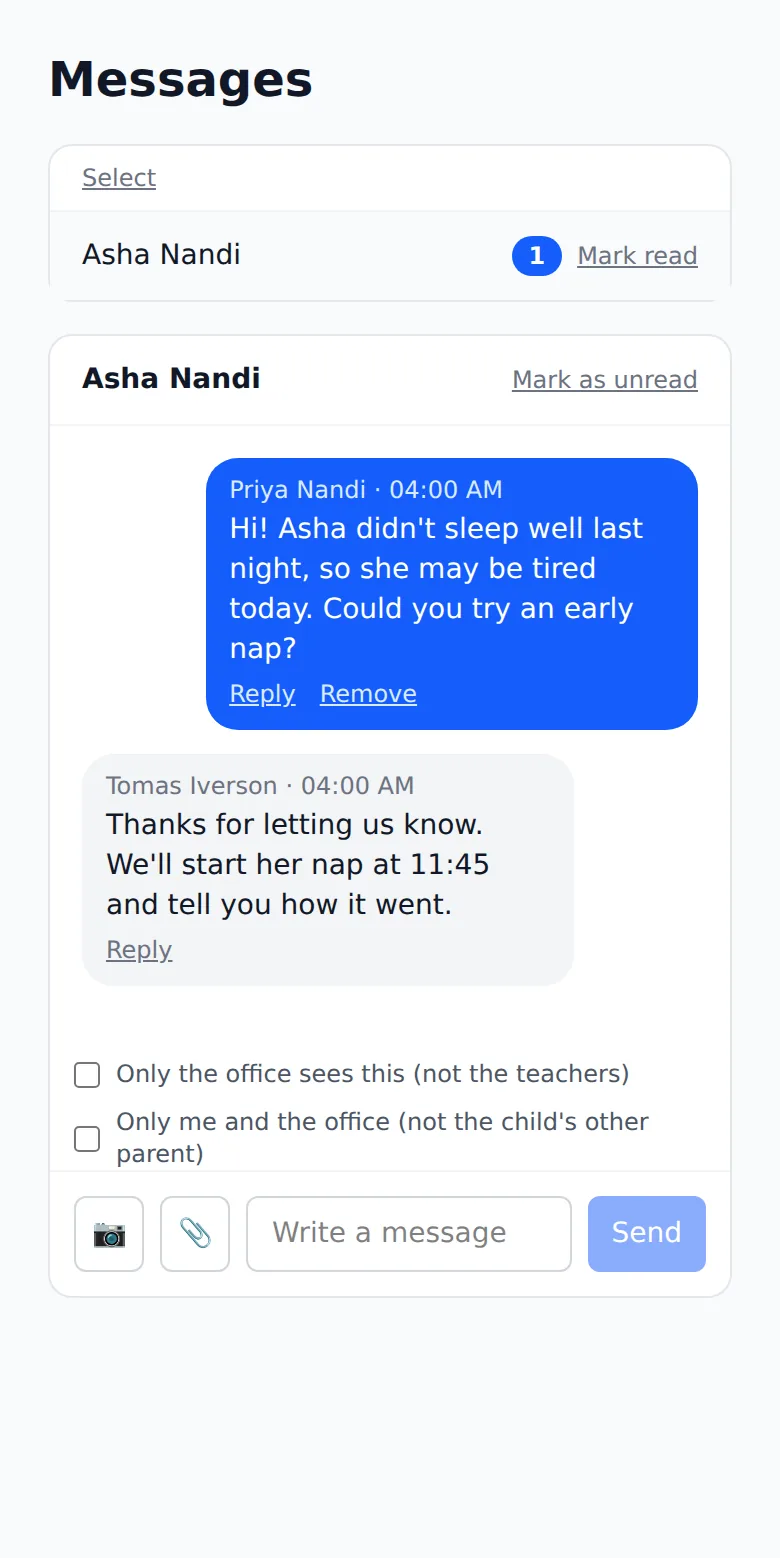
Where: Messages > your child > Write a message > Send
On the phone, Messages
- 1.
Open Messages and tap your child's name.
- 2.
Type in Write a message. The camera and paperclip buttons beside it add a photo or a file.
- 3.
To keep it from the teachers, tick Only the office sees this (not the teachers) first.
- 4.
Tap Send. Replies come back in the same conversation.
There is also a box to keep a message between you and the office, away from the child's other parent.
Questions
- Who reads my message?
- The teachers of your child's room and the office, unless you keep it to the office.
- Will I know when they reply?
- Yes. The conversation shows the reply, and the app tells you if you have notifications on.
- Can I message another family?
- Only if your center turns that on.