Log a meal, nap or diaper for the whole room
One tap logs it for every child checked in to the room right now. Fix the exceptions afterwards.
Where: Activities > Log for the whole room
On the phone, Activities
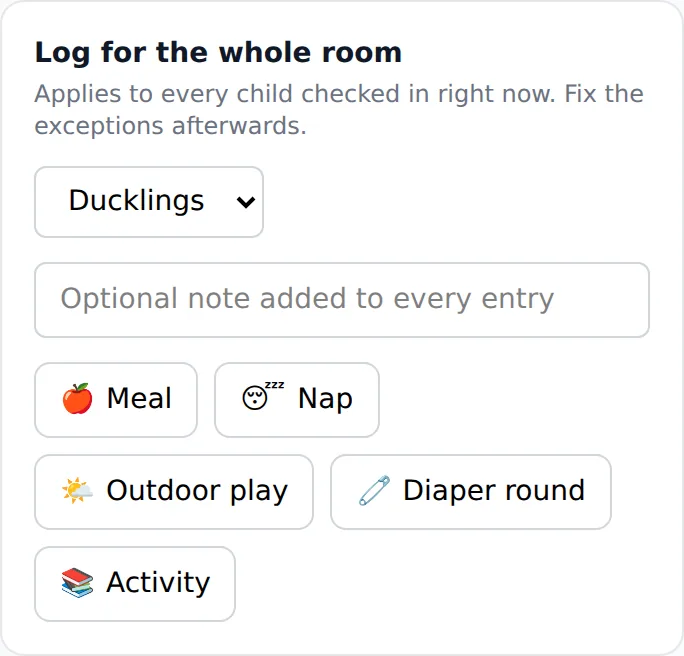
- 1.
Open Activities. At the top is Log for the whole room.
- 2.
Pick the room under Room.
- 3.
Tap Meal, Nap or Diaper round. You can add a note first; it goes on every child's entry.
- 4.
The app says how many children it logged. If nobody is checked in, it says Nobody is checked in to that room yet.
Then open any child whose day was different and change their entry. Families see the entries in their child's day.
Questions
- Does it log for children who are absent?
- No. Only children checked in to that room at the moment you tap.
- What if I tap twice by mistake?
- The second tap does not make a second entry for the room.
- Does it work without wifi?
- Yes. The phone keeps it and sends it when the network is back, for the children who were in the room when you tapped.