Invite a parent to sign in to Farlow
A parent gets an email with a link to set a password. From then on they see their child's day, messages and bills.
Where: Children > a child > Family > Invite
On the web, a child's page
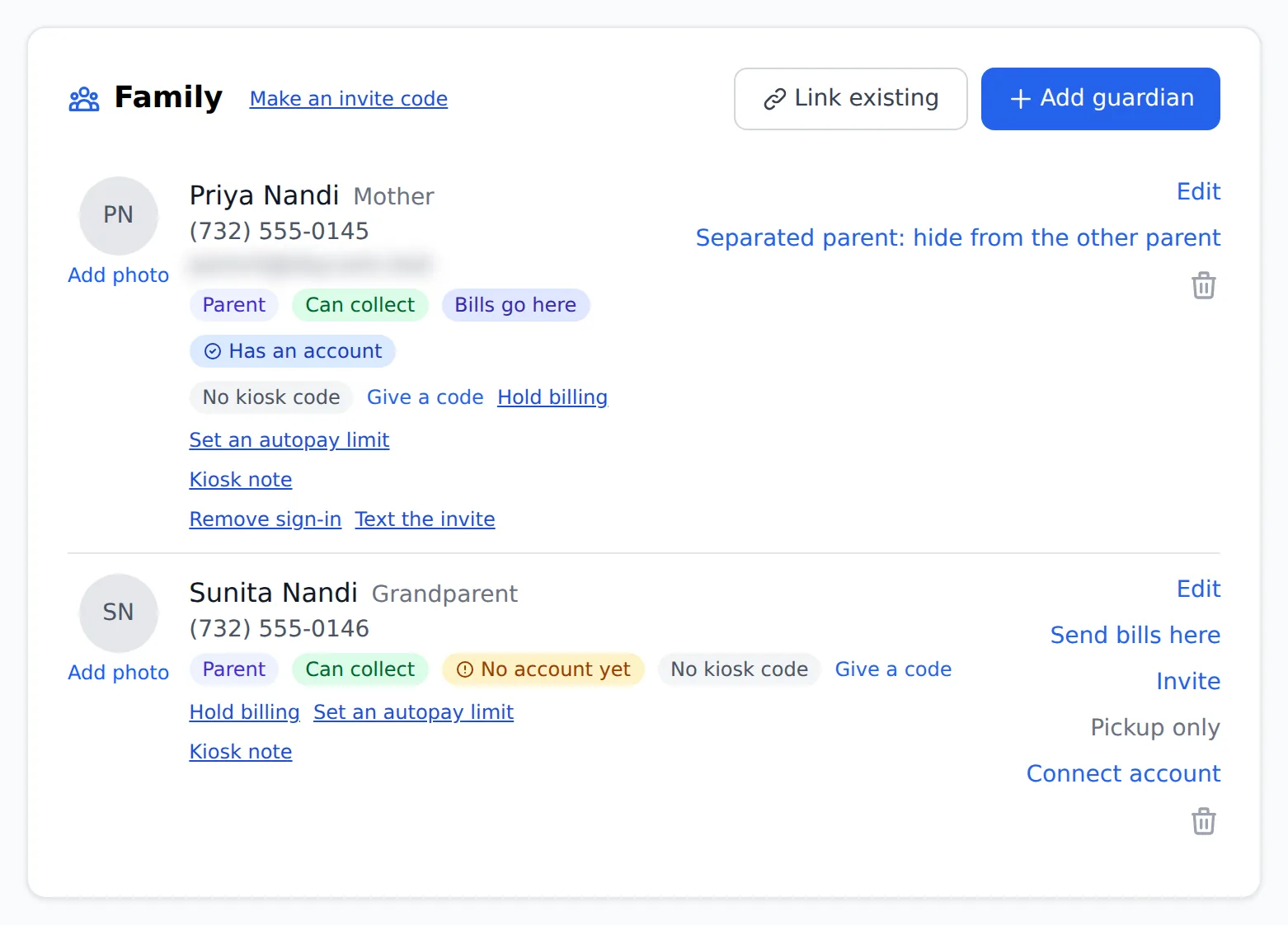
The parent needs an email address on the child's Family card. If there is none, add it with Edit on their row first. Only a director or manager can send invitations.
- 1.
Open Children and tap the child's name.
- 2.
On the Family card, find the parent's row and tap Invite.
- 3.
Farlow emails them a link. They choose their own password; you never see it.
- 4.
To invite several families at once, open Parents instead. Each parent who has never been invited has an Invite button, and the page offers to invite all of them in one go.
A row on the Parents list says when the person was invited and whether they have signed in yet, so you can tell who still needs a nudge.
Questions
- What if the parent has no email address?
- The app says so when you tap Invite. Add the address with Edit on their row, then invite them.
- Can a teacher send invitations?
- No. Inviting a parent is for a director or a manager.
- What does the parent see?
- An email with a link to choose their own password. Once they sign in, their child's day, messages and bills are there.