Add a teacher or other staff member
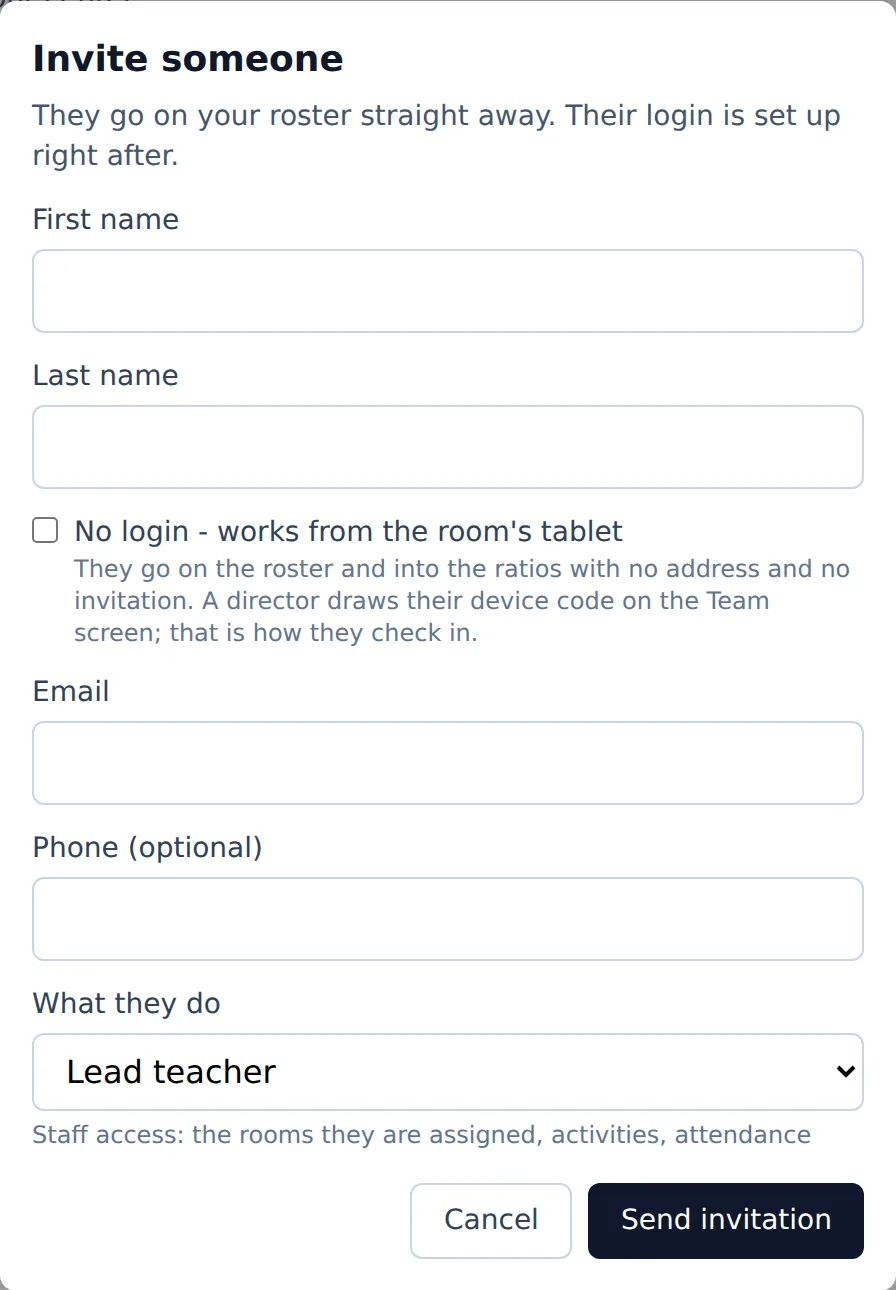
They are on your team right away, and an email lets them choose their own password.
Where: Team > Invite someone > Send invitation
On the web, Team
Adding staff is for a director or a manager.
- 1.
Open Team and tap Invite someone.
- 2.
Type their first name, last name and email.
- 3.
Under What they do, pick their role. The line under it says what that role can see.
- 4.
Tap Send invitation. They are on the team at once, and the email lets them set a password.
To add several people at once, use Invite several. Someone who never signs in, like an aide who only uses the room's tablet, is added with No login - works from the room's tablet; a director then gives them a device code on the Team screen.
Questions
- Can a teacher add children?
- Only if their Team entry has Can add and edit children.
- Do they count toward the ratios?
- Yes, once they clock in to a room.
- Who can add staff?
- A director or a manager.