Add a child to Farlow
A name, a birthday and a room are enough to start. The rest can be filled in on the child's page later.
Where: Children > Add Child
On the web, Children
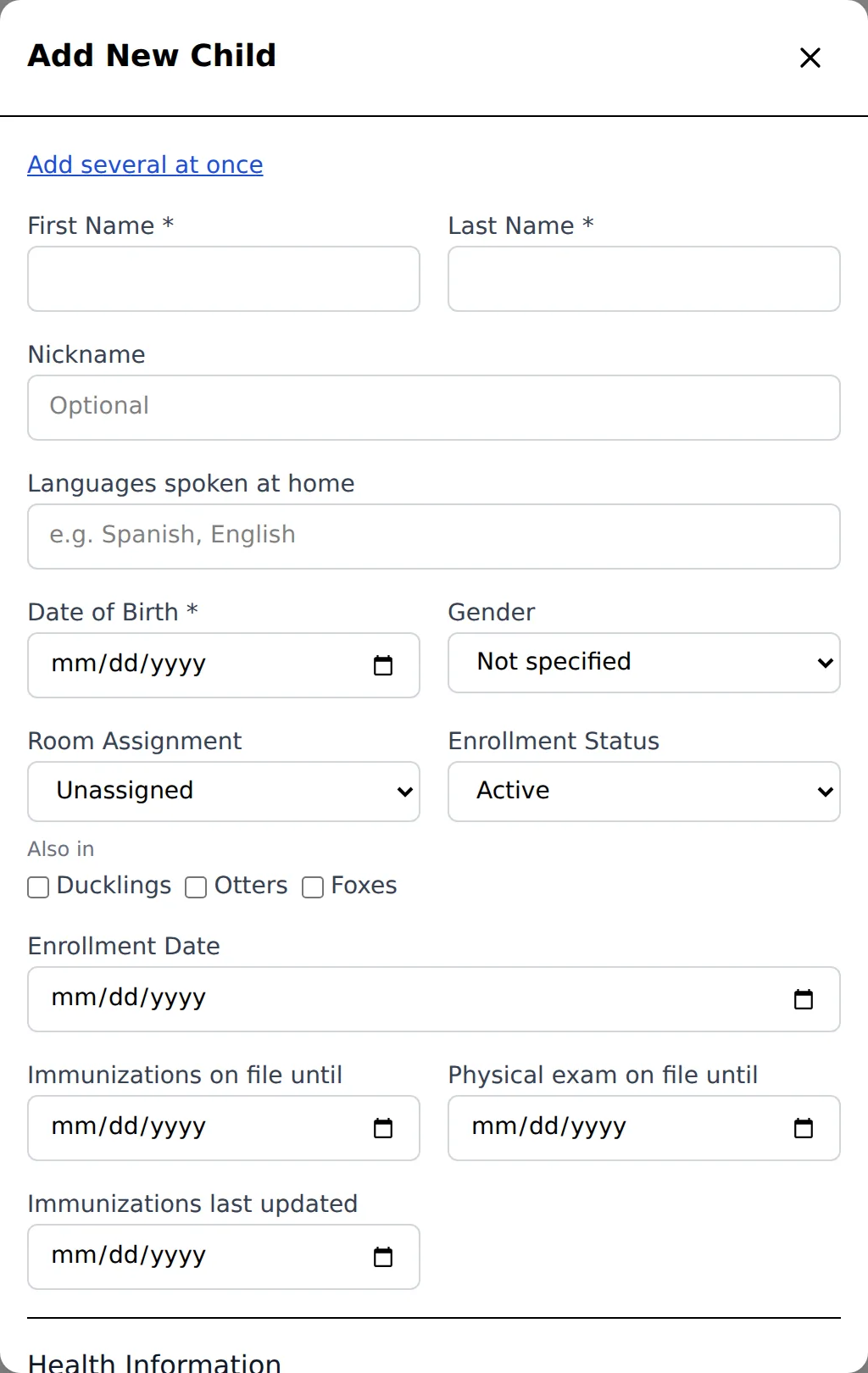
Directors add children. A teacher can too where the center allows it, with Can add and edit children on their Team entry.
- 1.
Open Children and tap Add Child.
- 2.
Fill in the first name, last name and date of birth (the three that are required), and pick the room under Room Assignment.
- 3.
Tap Add Child at the bottom of the form.
- 4.
Open the child's page, find the Family card and tap Add guardian for each parent. A parent who already has a child at the center is added with Link existing.
- 5.
Invite the parents to sign in with Invite on their row.
To add a whole class from a list, tap Add several at once in the form and type One child a line: the name, a comma and the birthday.
Questions
- What if the child is already in Farlow?
- The form says A child with this name is already at the center. and offers to show them. If it really is a different child with the same name, tap Add anyway - a different child.
- Can I bring in the whole roster from a spreadsheet?
- Yes, from Import in the menu, which reads a CSV or Excel file of families.
- Do I need the parents' details first?
- No. Add the child, then the parents on the Family card.